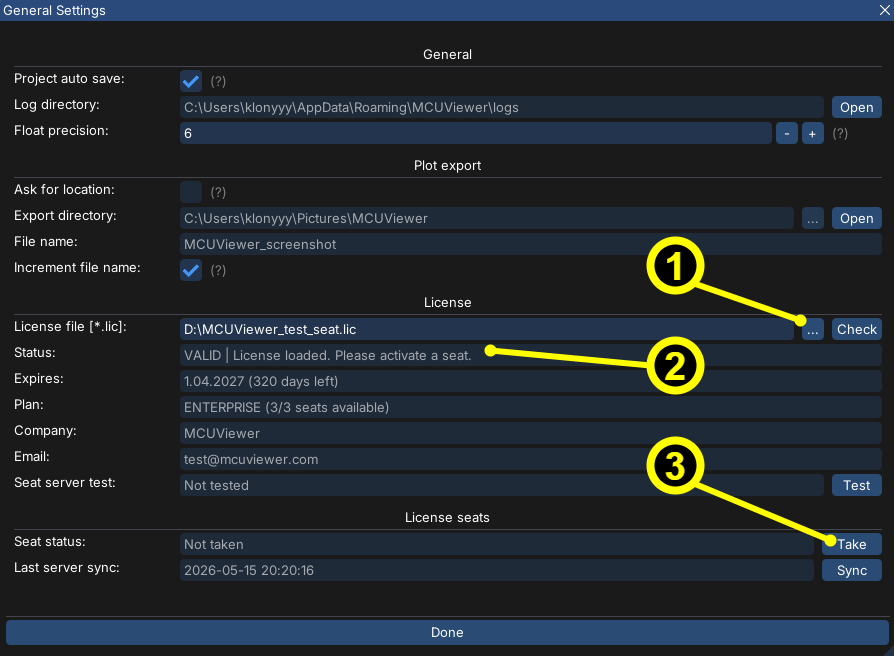
General Settings
General settings window is used to control application settings. Open by selecting Options->General from the top menu.
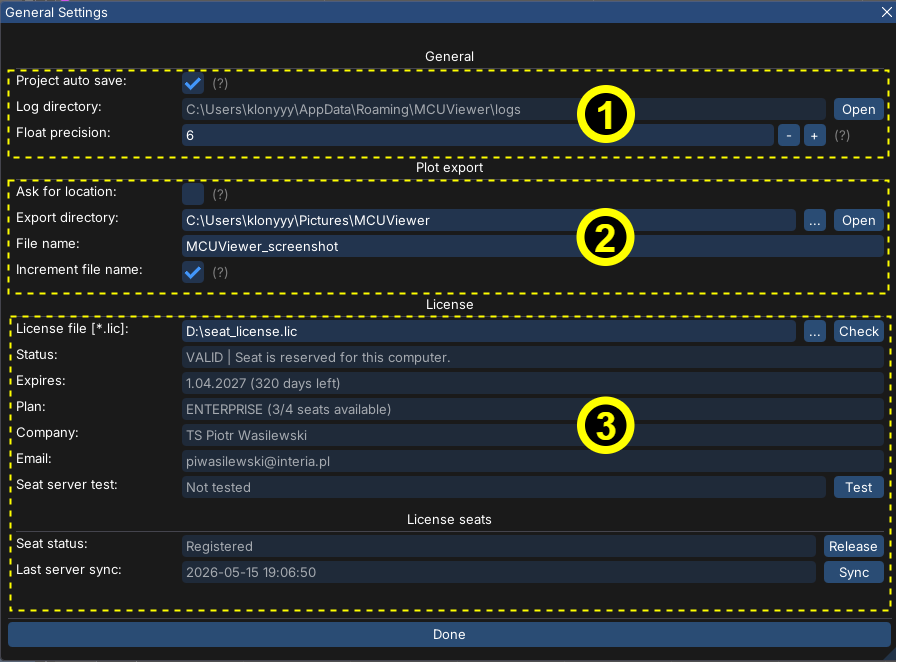
1. General section
Project auto save- select if you’d like to automatically and periodically save your projectLog directory- shows the current log directory. It can be accessed quickly by pressingOpenbutton next to it.Float precision- change the number of decimal places when displayin floats in the workspace.
2. Plot export
The Plot Export section provides options for saving the current plot area as a *.png file. Plots can be saved either by navigating to File -> Save plots to .png or by using the keyboard shortcut Ctrl+P.
By default, all plots are saved to the system’s Pictures directory. Users with an enterprise license have the option to change the save destination, or enable the Save as option when making the screenshot.
3. License section
License section allows to open the license file of MCUViewer. License files have *.lic extension and have to be purchased from MCUViewer website.
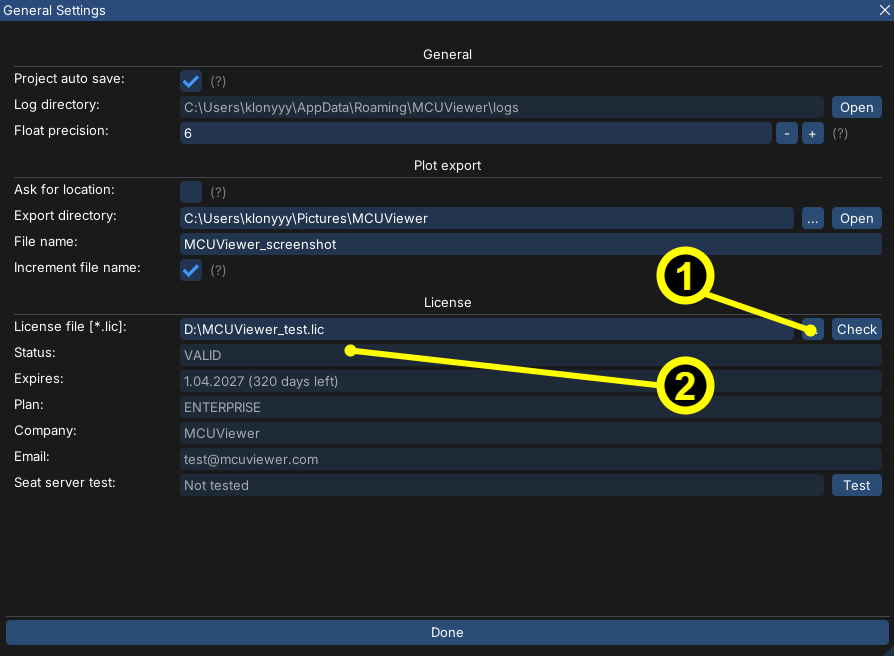
Offline license activation
Select the *.lic license file
Make sure the status shows
VALID
Online License
Select the *.lic license file
Make sure the status shows
VALIDSelect
Takebutton. After taking a seat the seat can be released for another user after a cooldown period.